
ArkGit
更新你的仓库Update your repositories
随时随地管理您的代码仓库。ArkGit 是一款专为 HarmonyOS 设计的原生 Git 客户端,融合了 ArkTS 的简洁与 C++ NAPI 的强大性能。只需轻点几下,即可掌握完整的提交历史。Git 体验从未如此丝滑。Manage your code repositories from anywhere. ArkGit is a native Git client designed for HarmonyOS, combining the clarity of ArkTS with the performance of C++ NAPI. Review complete commit history in just a few taps and keep your Git workflow smooth on mobile.

- 提交图谱Commit graph
- DAG
- 语法高亮Languages
- 75+
- 认证方式Authentication
- SSH / HTTPS
提交、编辑和高级 Git 操作都在一个地方。Commit history, editing, and advanced Git operations in one place.
ArkGit 为 HarmonyOS 上的代码管理而生,把仓库结构、代码修改、认证配置和 Git 命令执行串成一个连贯体验。Designed for code management on HarmonyOS, ArkGit turns repository structure, code edits, authentication, and Git commands into a single smooth workflow.
可视化提交图谱Visual commit graph
清晰展现提交、分支与标签之间的演进关系。通过底层 DAG 可视化,深度洞察仓库结构。See how commits, branches, and tags evolve through a DAG-based graph that makes repository structure easier to understand.
卓越的代码编辑体验Powerful code editing
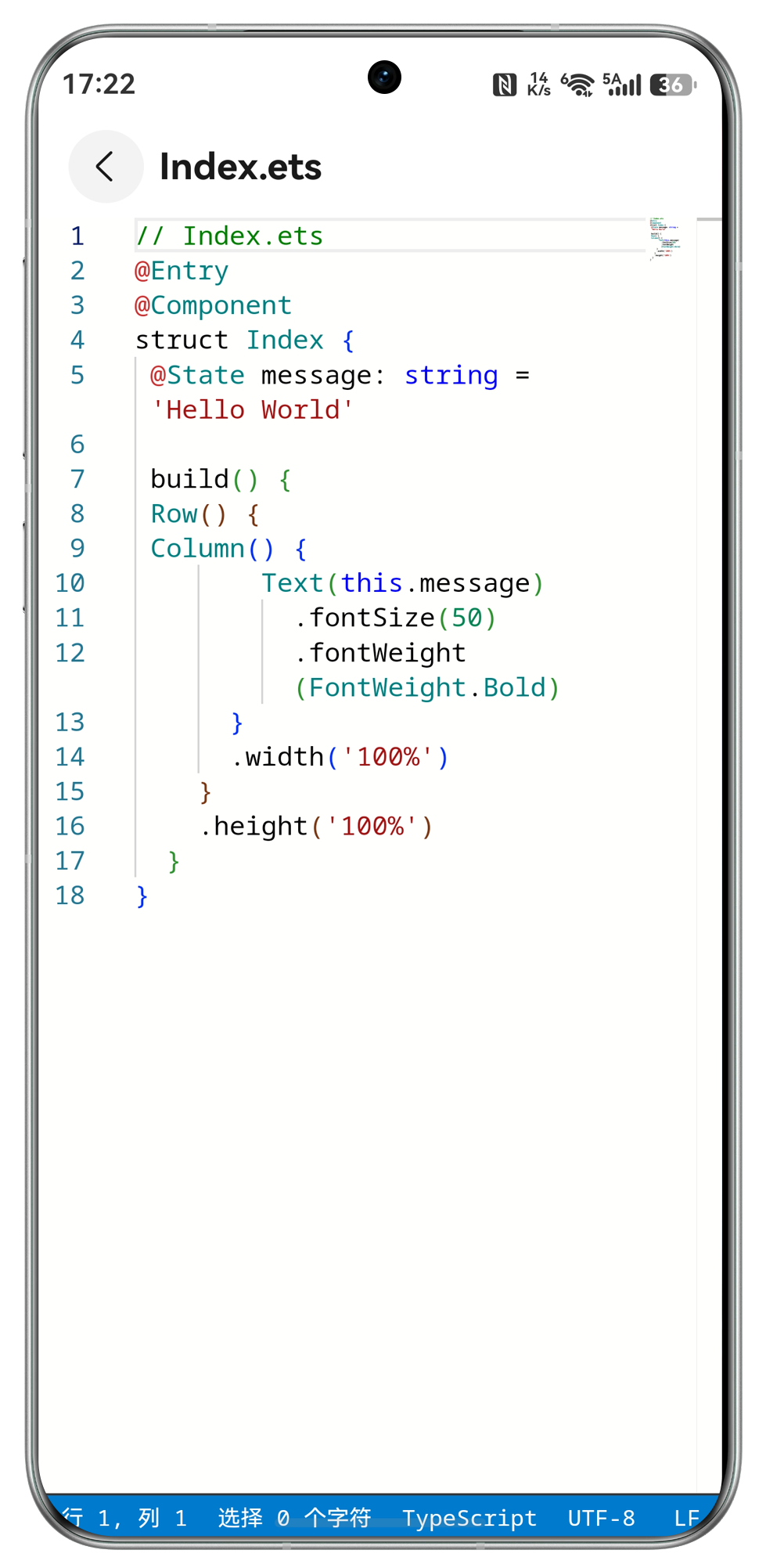
集成 hm_code_editor 核心能力,支持超过 75 种语言的语法高亮,移动端也能高效修复代码。Built around hm_code_editor with syntax highlighting for more than 75 languages, so quick fixes feel natural on mobile.
合并、变基、Cherry-pickMerge, rebase, cherry-pick
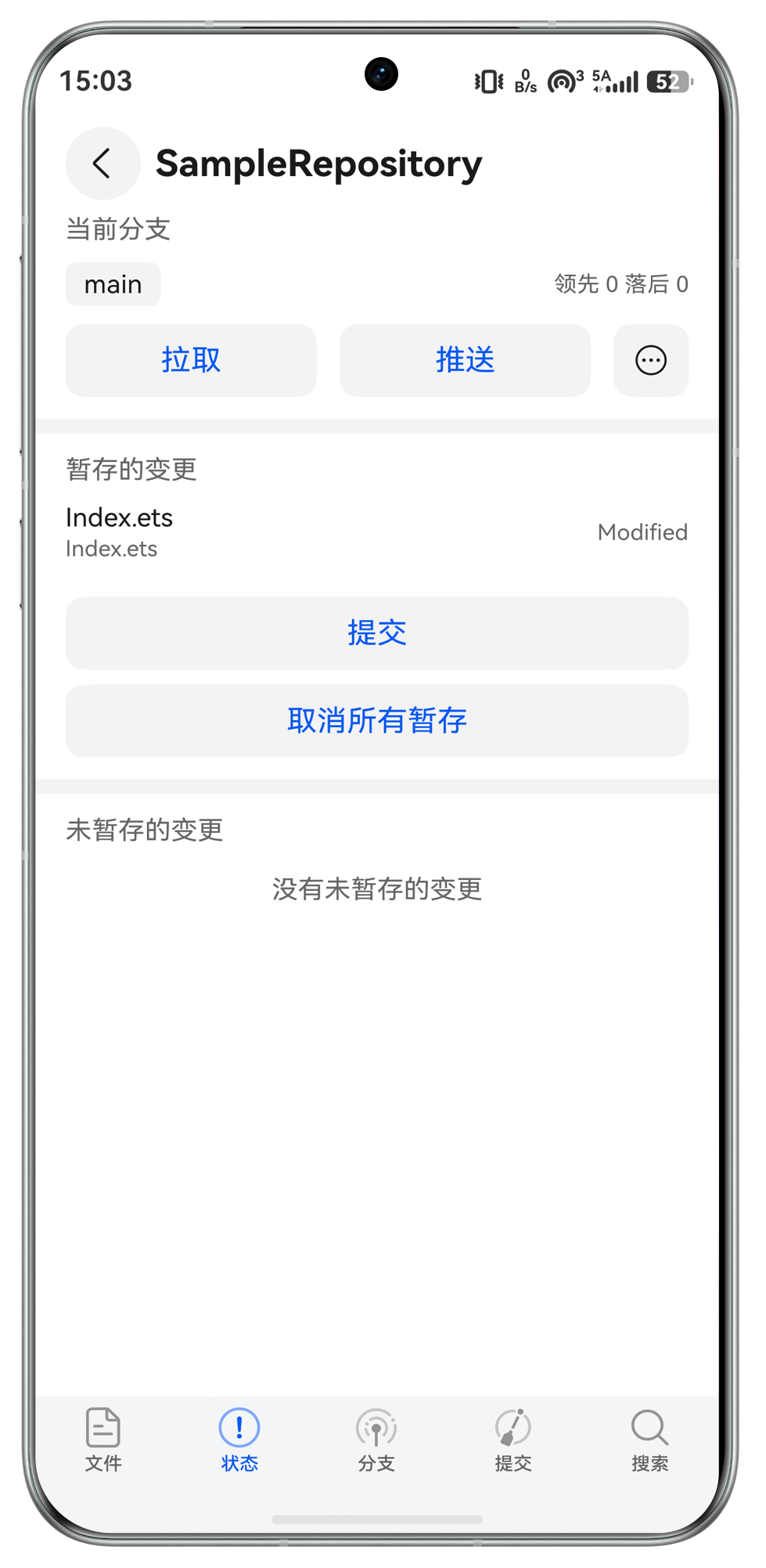
拉取、推送、合并、变基和摘取变更都有清晰预览与状态反馈,让高级 Git 操作更有把握。Run pull, push, merge, rebase, and cherry-pick with previews and status feedback that keep each change under control.
凭据与 SSH 密钥管理Credentials and SSH keys
内置凭据与 SSH 密钥管理系统,连接 GitHub、GitLab、Bitbucket 等仓库时更安心。Built-in credential and SSH key management keeps GitHub, GitLab, Bitbucket, and other remotes easier to use securely.
围绕移动 Git 工作流打磨的完整工具箱。A focused toolkit for mobile Git workflows.
从提交图谱、代码编辑到凭据管理和高级命令,ArkGit 让移动端仓库维护更完整。From commit graphs and code editing to credentials and advanced commands, ArkGit makes repository maintenance more complete on mobile.
仓库随身管理Repository management
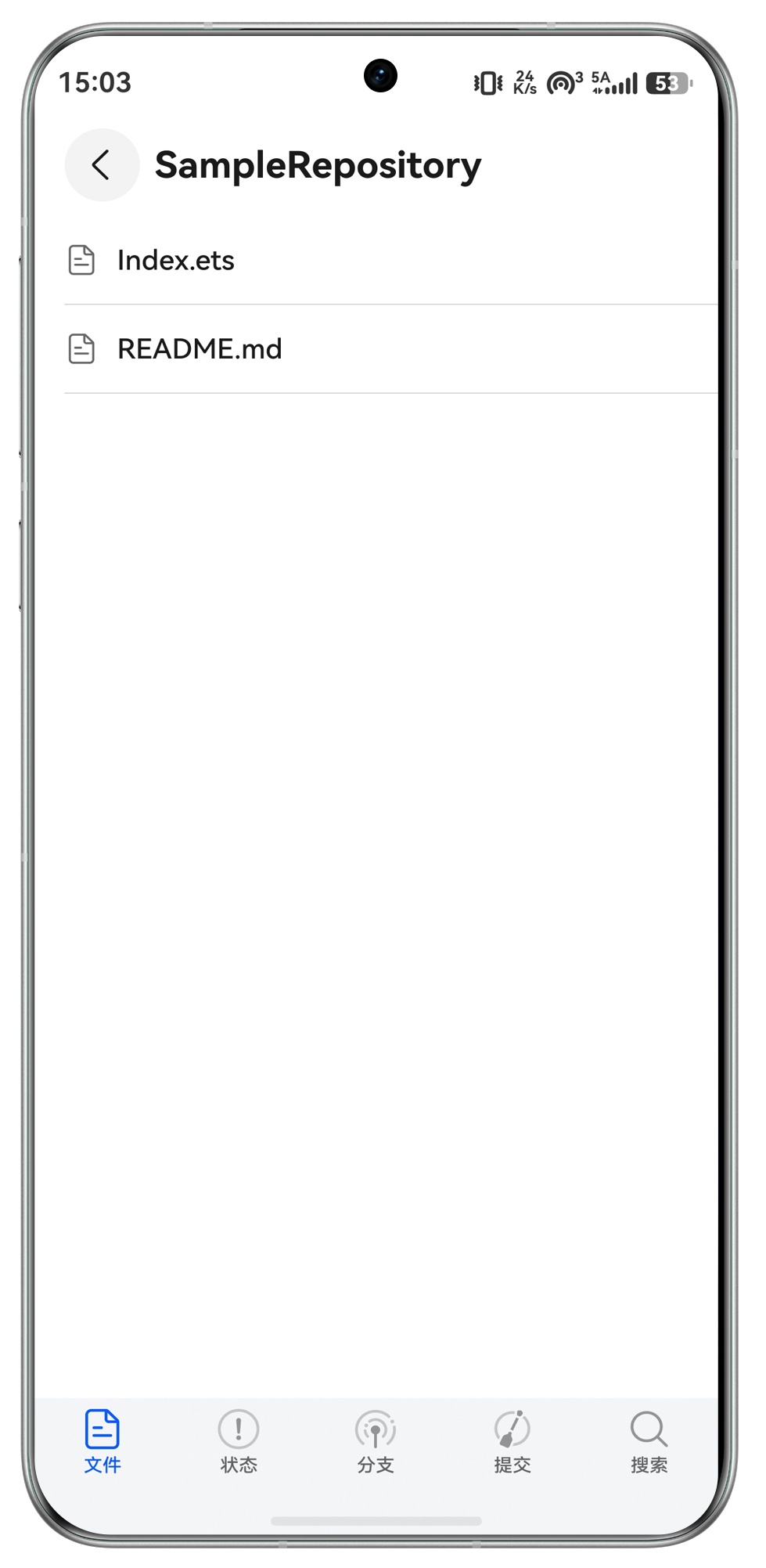
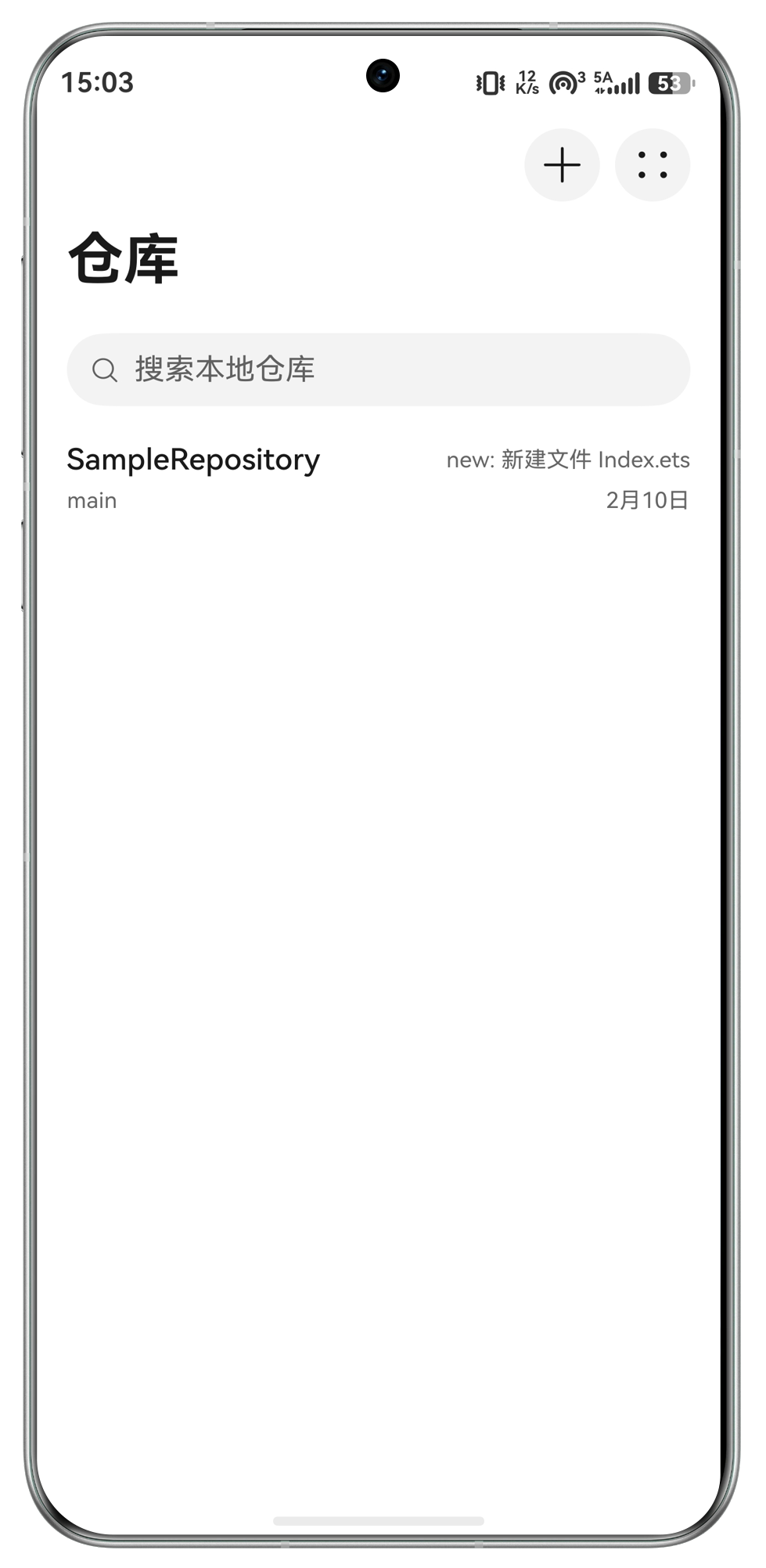
克隆、浏览和维护 Git 仓库,在手机上也能处理日常代码流转。Clone, browse, and maintain Git repositories from your HarmonyOS device.
DAG 提交视图DAG commit view
提交、分支和标签关系一目了然,复杂仓库也能快速理清。Understand commits, branches, and tags at a glance, even in busy repositories.
75+ 语言高亮75+ language highlighting
依托 hm_code_editor,在移动端获得接近桌面的代码阅读和编辑体验。Read and edit code with hm_code_editor-powered highlighting across more than 75 languages.
HarmonyOS 键盘优化HarmonyOS keyboard tuning
针对移动代码输入优化键盘操作,快速修 Bug 或提交修改更顺手。Mobile code entry is tuned for HarmonyOS, making quick fixes and commits easier.
凭据与 SSH 密钥Credentials and SSH keys
内置认证管理,拉取、推送和连接私有仓库时更可靠。Built-in authentication management keeps pull, push, and private repository access reliable.
高级 Git 命令Advanced Git commands
合并、变基、Cherry-pick 等操作提供预览和状态反馈,减少误操作。Merge, rebase, and cherry-pick with previews and status feedback that reduce costly mistakes.
打开 ArkGit,更新你的仓库。Open ArkGit and update your repositories.
从 AppGallery 下载后即可克隆仓库、查看提交图谱、编辑代码,并执行拉取、推送和 Cherry-pick 等 Git 操作。Download from AppGallery to clone repositories, inspect commit graphs, edit code, and run Git operations like pull, push, and cherry-pick.
用户说,移动端 Git 终于顺手了。Developers say mobile Git finally feels simple.
来自真实使用场景的反馈,集中在仓库克隆、文件编辑、界面打磨和移动端提交流程。Feedback centers on cloning repositories, editing files, interface polish, and committing from a phone.
从查看仓库到无限 push。From repository viewing to unlimited push.
免费用户不能 push;月付、年付和永久版均可解锁无限 push 次数。Free users cannot push. Monthly, annual, and lifetime plans unlock unlimited pushes.
免费用户Free
¥0
适合先体验 ArkGit,可管理仓库但不能 push。Try ArkGit and manage repositories without push access.
- 基础仓库管理Basic repository management
- 查看提交历史Commit history
- 不能 pushNo push
月付Monthly
¥9.9
适合短期项目或临时高频提交。Best for short projects or temporary high-frequency commits.
- 无限 push 次数Unlimited pushes
- 代码编辑Code editing
- 凭据与 SSH 密钥管理Credentials and SSH keys
年付Annual
¥69
适合长期维护仓库,性价比更高。Better value for maintaining repositories throughout the year.
- 无限 push 次数Unlimited pushes
- 合并、变基、Cherry-pickMerge, rebase, cherry-pick
- 更高性价比Better value
永久Lifetime
¥128
一次购买,永久解锁无限 push 次数。One purchase for lifetime unlimited push access.
- 无限 push 次数Unlimited pushes
- 永久解锁Lifetime unlock
- 长期使用Long-term use
常见问题Frequently asked questions
这里整理了使用 token 和 SSH 连接 Git 服务商时最常见的认证问题。Answers for token-based and SSH authentication with Git providers.
启用双重认证后,如何进行身份验证?How can I authenticate if I have 2-factor auth enabled?
您需要在 GitHub 生成 personal access token、在 Bitbucket 生成 app password,或在 GitLab 生成 personal access token,并使用它完成身份验证。更多信息请参考对应 Git 服务商的文档。You will need to generate a personal access token on GitHub, an app password on BitBucket, or a personal access token on GitLab and use that to authenticate. See your Git provider documentation for more information.
如何使用 SSH 进行身份验证?How can I authenticate using SSH?
您需要导出应用的 SSH Key,并将它添加到您的 Git 服务商。可以进入 Settings,然后打开 Credentials,选择“Export Public Key”并点击“Copy Key”复制密钥。更多信息请参考对应 Git 服务商的文档。You will need to export the app's SSH Key and add it to your Git provider. You can copy the key by navigating to Settings and then Credentials. Select 'Export Public Key' and then 'Copy Key'. See your Git provider documentation for more information.